Contracts#
The Contracts feature allows you to manage publishing agreements with publishers, including transformative agreements, read-and-publish deals, and other arrangements. Contracts help track which journals are covered by institutional agreements and how publications are billed.
Overview#
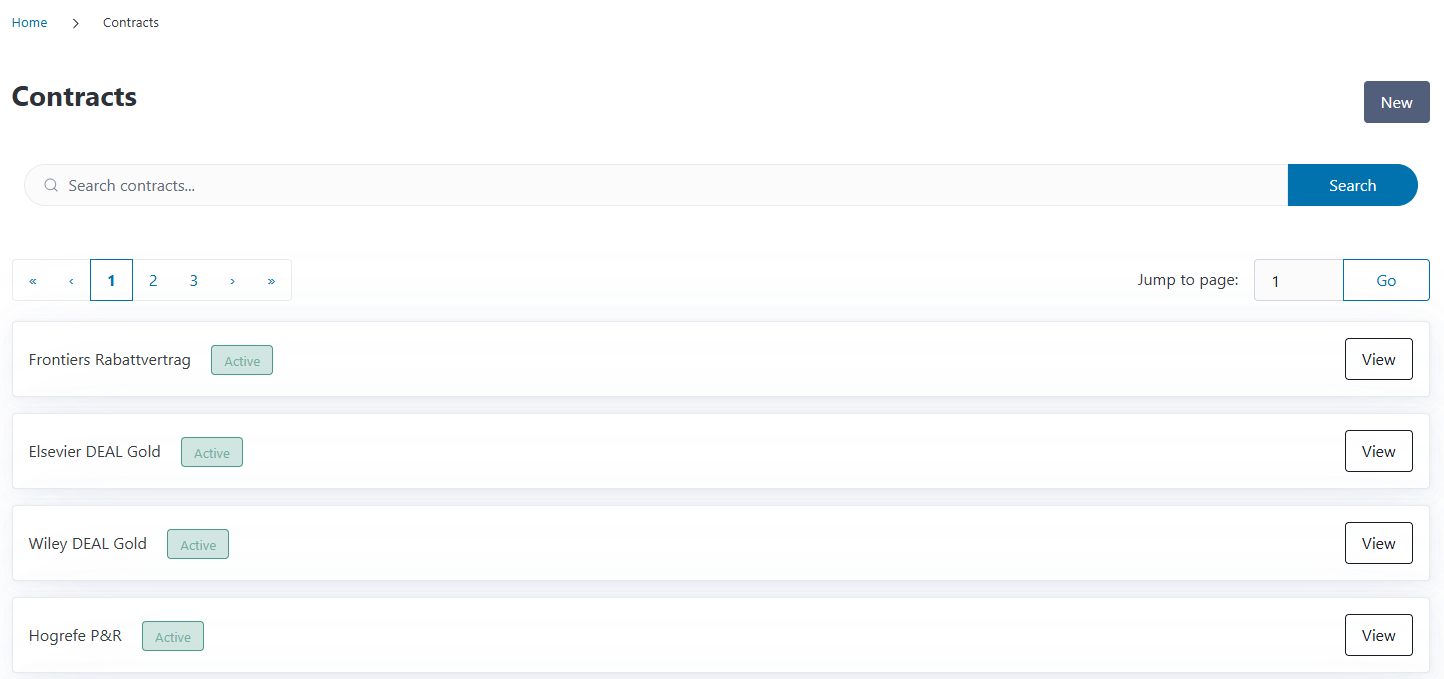
You can access the Contracts page from the navigation menu. The overview displays all contracts in your system, showing:
Contract name
Contract period (start and end dates)
Active status
Action buttons for viewing details and editing
You can search for contracts by name using the search box at the top of the page.
Understanding Contracts in CODA#
Contracts in CODA represent agreements between your institution and publishers. These can be:
Transformative agreements: Agreements that transition from subscription-only to open access publishing
Read-and-publish deals: Combined subscription and OA publishing agreements
Pure OA agreements: Agreements specifically for open access publishing
Institutional memberships: Publisher-specific membership programs
Contracts help you:
Track coverage: Know which journals are included in your agreements
Link publications: Associate published articles with the contracts that cover them
Manage billing: Understand how publications are invoiced (individually or as part of a consolidated agreement)
Report data: Include contract information in OpenCost exports for transparency reporting
Creating a New Contract#
To add a new contract:
Click the New button on the Contracts overview page
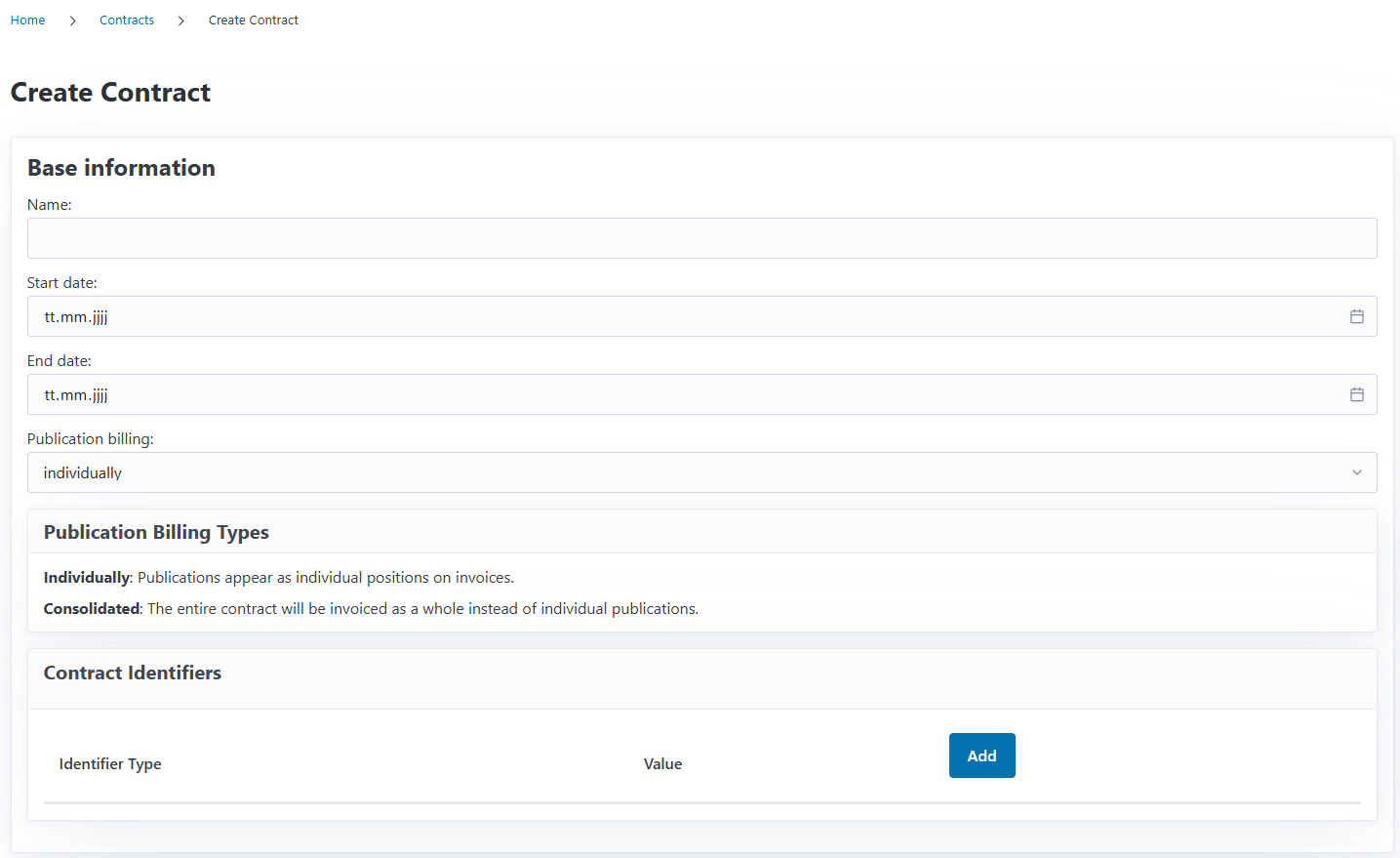
Fill in the Base Information:
Name: A descriptive name for the contract (e.g., “Springer Compact 2024-2026”)
Start Date: When the contract period begins
End Date: When the contract period ends
Publication Billing: How publications under this contract are invoiced (see below)
Add Contract Identifiers (optional but recommended)
Add Publishers covered by this contract
Add Journals included in the contract
Click Save to create the contract
Publication Billing Types#
CODA supports two billing models:
Individually
Use this when each article has its own APC (Article Processing Charge)
Supports detailed cost tracking per publication
Articles without invoice will be marked as unpaid
Consolidated
Use this when you pay an annual fee for the entire contract
Fees for the contract will be distributed among the linked articles
Articles associated with this contract will be marked as paid
Contract Identifiers#
CODA supports several types of contract identifiers used in scholarly publishing and reporting standards:
ESAC Registry ID#
The ESAC Registry maintains a database of transformative agreements. If your contract is listed in the ESAC Registry, add its ID here.
Why use it: ESAC IDs are required for many openCost exports and transparency initiatives
OAI (Open Archives Initiative Identifier)#
OAI identifiers are unique persistent identifiers of metadata records. CODA supports and validates this identifier.
EZB (Elektronische Zeitschriftenbibliothek)#
The EZB is a cooperative journal database used primarily by German-speaking libraries. If your contract has an EZB ID, add it here.
Adding Publishers to a Contract#
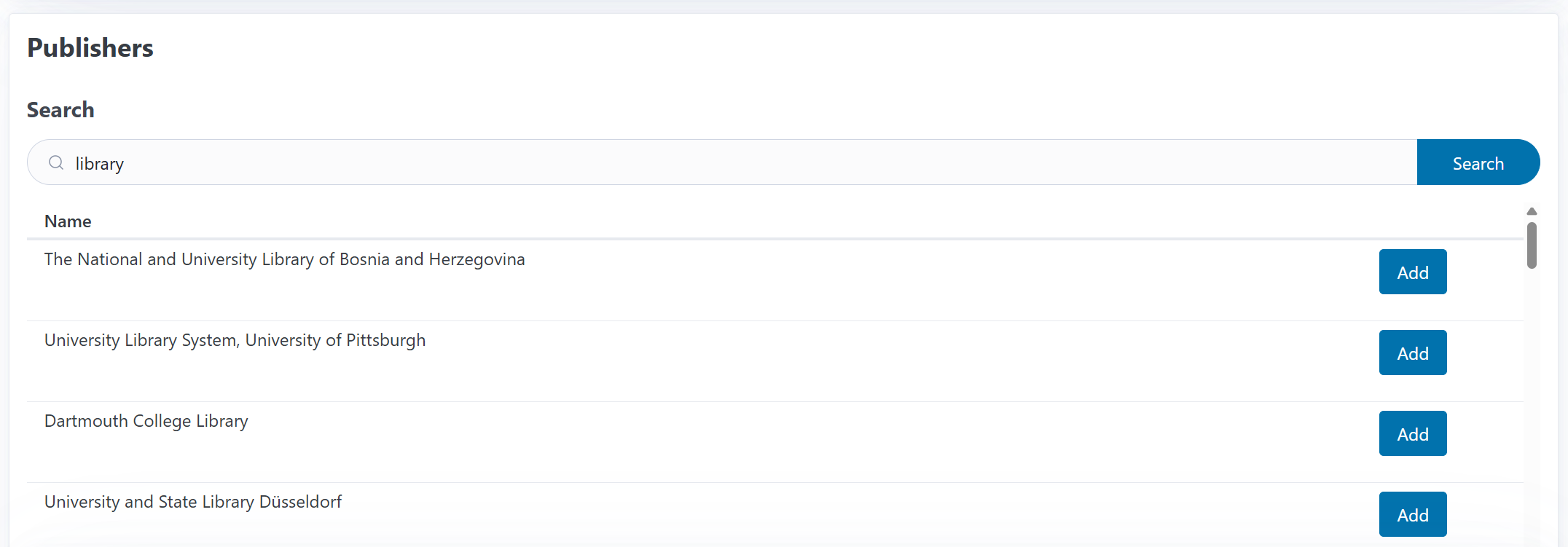
Publishers define which publishing organizations are part of the agreement:
In the Publishers section, start typing a publisher name in the search box
Select the publisher from the dropdown that appears
Click Add to include them in the contract
Repeat to add multiple publishers (some agreements cover publisher groups)
To remove a publisher, click the Remove button next to their name
Tip
If a publisher doesn’t appear in the search, you may need to create it first in the Publishers section (accessible from the main navigation).
Managing Journal Lists#
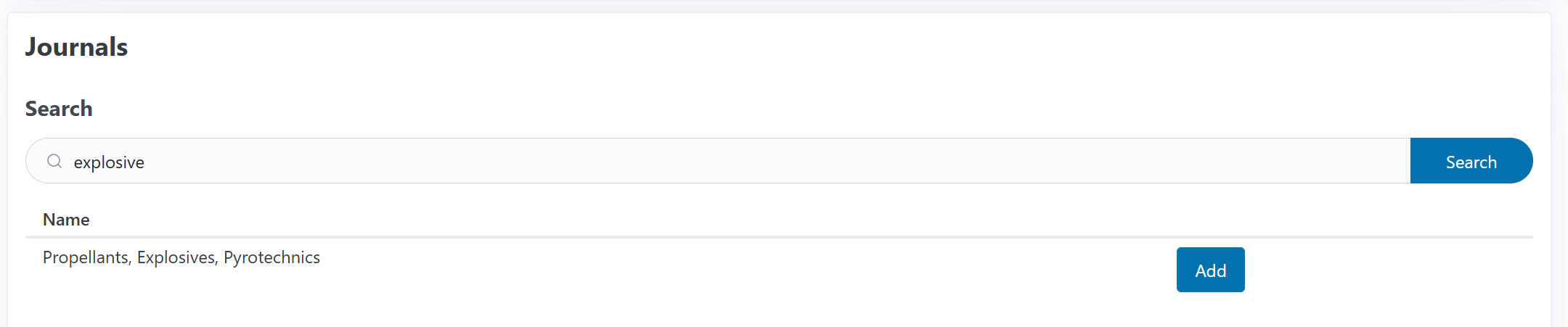
The journal list defines which journals are covered by the contract:
Adding Journals#
In the Journals section, start typing a journal title in the search box
Select the journal from the dropdown
Click Add to include it in the contract
Repeat for each journal covered by the agreement
To remove a journal, click the Remove button next to its name
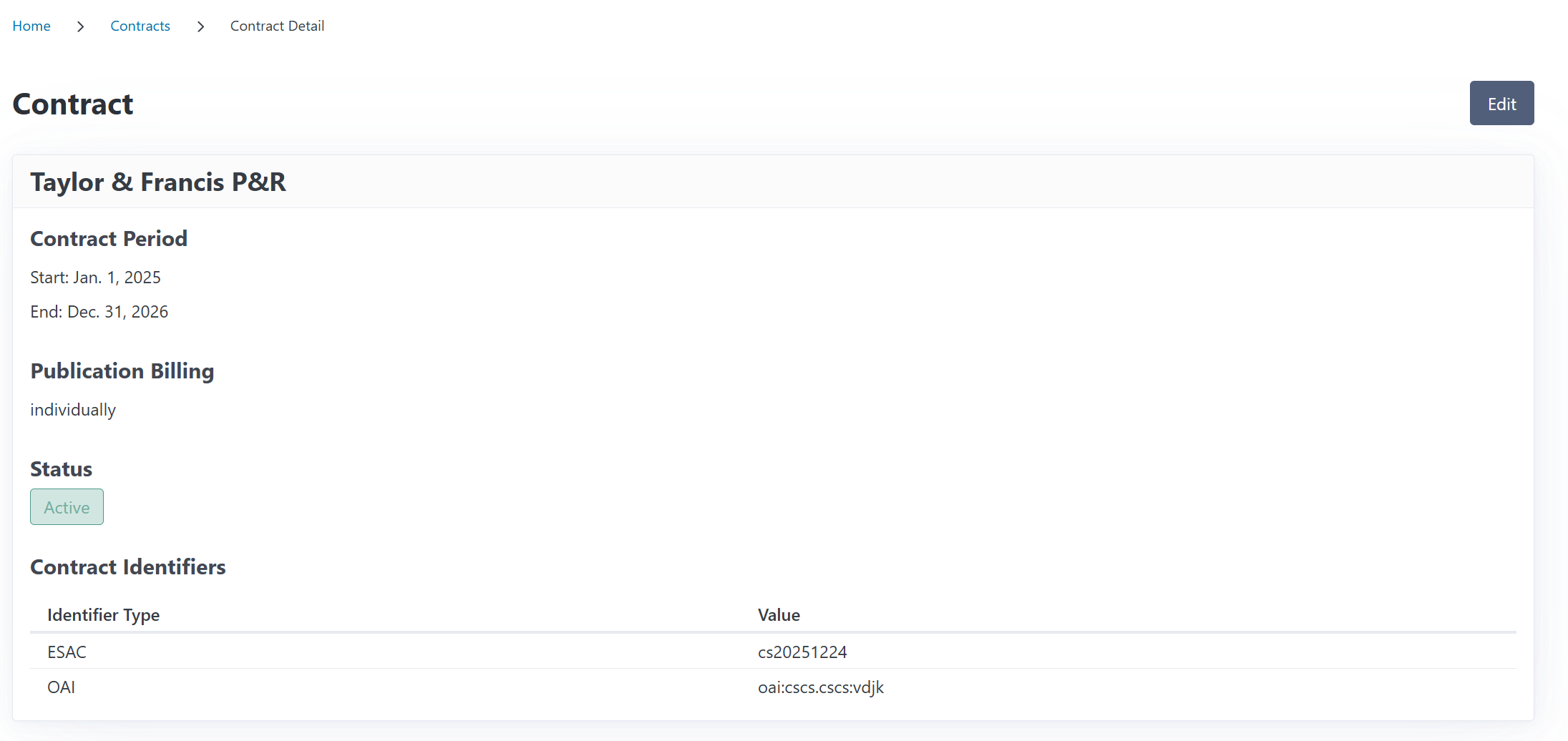
Viewing Contract Details#
Click on any contract from the list to see its detail page, which shows:
Contract period: Start and end dates
Publication billing type: Individual or consolidated
Active status: Whether the contract is currently active
Contract identifiers: ESAC, OAI, EZB, and local IDs
Publishers: All publishers covered by this agreement
Journals: Complete list of included journals
The detail page provides a comprehensive overview of the contract configuration.
Editing an Existing Contract#
To modify a contract:
Open the contract detail page
Click the Edit button
Update any fields as needed:
Change the contract name
Adjust start/end dates
Modify billing type
Add/remove identifiers
Update publisher or journal lists
Click Save to apply your changes
Note
Editing a contract doesn’t affect existing funding requests or publications already linked to it. They retain their original contract year association.
Contract Status#
CODA automatically determines whether a contract is active based on the current date and the contract period:
Active: Today’s date falls between the start and end dates
Inactive: The contract period has ended or hasn’t started yet
The active status helps CODA suggest relevant contracts when creating funding requests.
Using Contracts in CODA#
Once you’ve created contracts, they integrate with other CODA features:
In Funding Requests#
When creating a funding request you can associate a publication with a contract.
In openCost Reports#
When generating openCost export reports:
Publications linked to contracts appear with contract information in the XML output
Contract identifiers (ESAC, OAI, EZB) are included in the export
ESAC ID
ESAC IDs are required for generating a valid openCost report.
In Invoices#
Contract information helps organize invoices:
Contract positions in invoices are used to represent costs for consolidated contracts
Contract positions in invoices are used to generate the costs for contracts in openCost reports.