Funders (Funding Organizations)#
The Funders feature allows you to manage external research funding organizations that support publications at your institution. By maintaining a directory of funders, you can track which external grants or programs contribute to publication costs and ensure consistent naming when creating funding requests.
Overview#
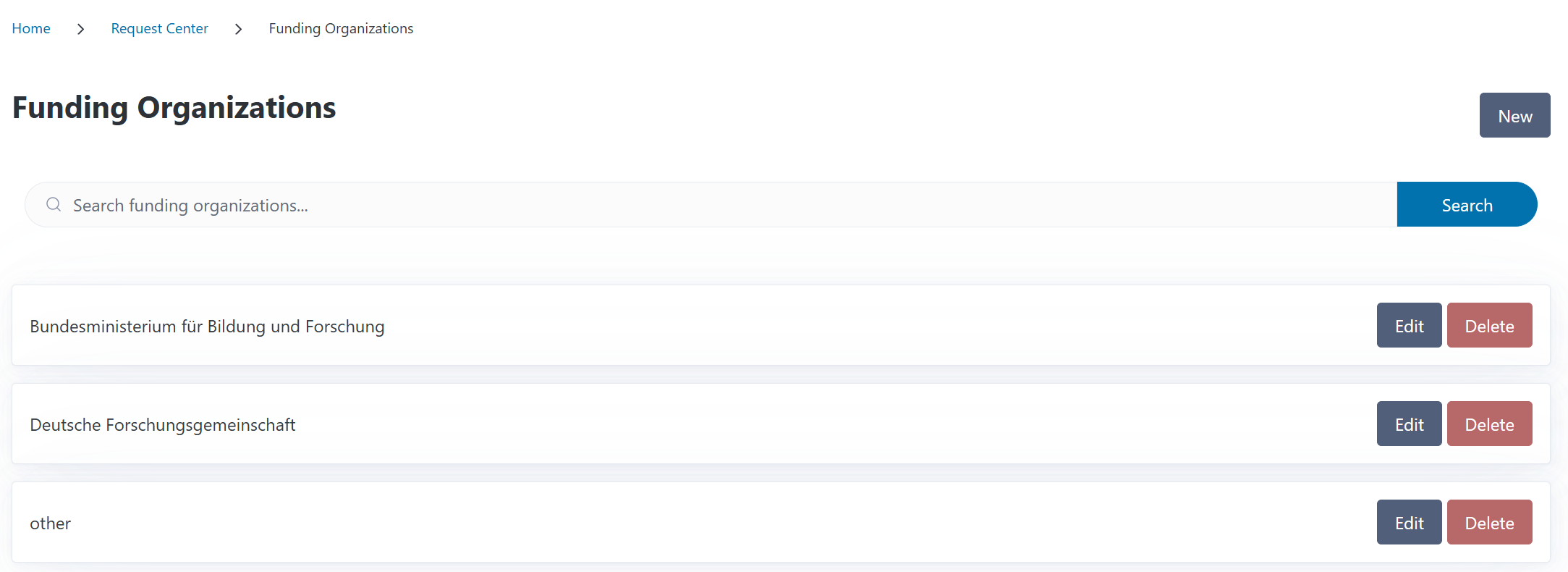
You can access the Funders page from the Request Center section in the navigation menu. The overview displays all funding organizations in your system, showing their names with quick access to each funder’s detail page.
You can search for funders by name using the search box at the top of the page. By default, only active (non-archived) funders are shown. Use the Include archived checkbox to also display archived funders in the list.
Understanding Funders#
Funders (also called Funding Organizations) are external entities that provide financial support for research and publications. Common examples include:
Research funding agencies: Deutsche Forschungsgemeinschaft (DFG), National Science Foundation (NSF)
Government departments: Bundesministerium für Bildung und Forschung (BMBF), European Commission
Foundations: Bill & Melinda Gates Foundation, Wellcome Trust
Industry partners: Corporate research sponsors
International organizations: Horizon Europe, NIH
Funders vs. Funding Sources
These are different features in CODA:
Funders (this page): External research funding organizations that grant money to researchers, used in the last step of the funding request creation process
Funding Sources: Your institution’s internal budgets used to pay invoices
Default Funders#
CODA comes pre-configured with two common German funding organizations:
Deutsche Forschungsgemeinschaft (DFG) - Germany’s main research funding organization
Bundesministerium für Bildung und Forschung (BMBF) - German Federal Ministry of Education and Research
You can add additional funders as needed for your institution’s research portfolio.
Creating a Funding Organization#
To add a new funder:
Navigate to Request Center > Funders
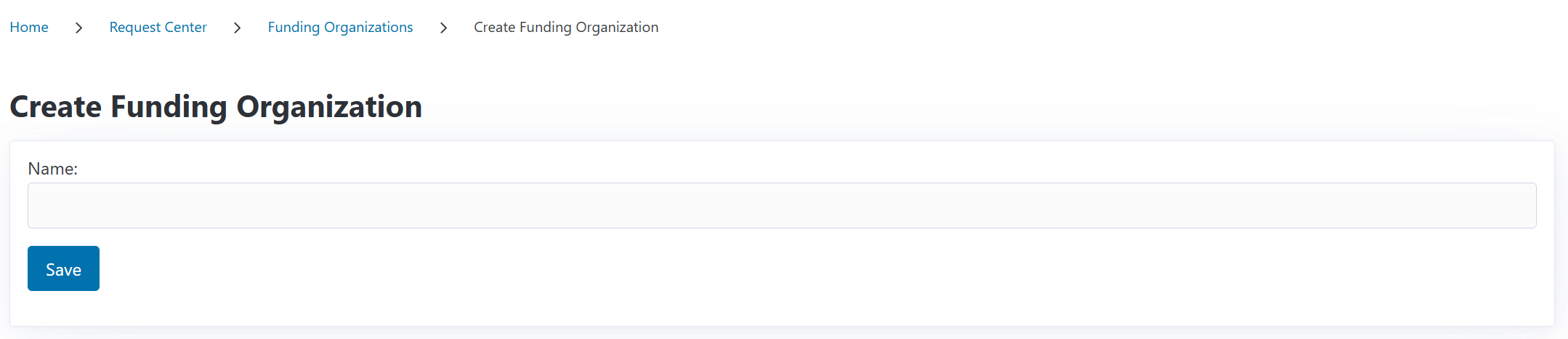
Click the New button
Enter the Organization Name and any identifiers (DOI, ROR, Crossref) if needed
Click Save
The funder is immediately available when creating or editing funding requests.
Duplicate Detection#
After saving a funder, CODA checks whether its identifiers (DOI, ROR, Crossref) match any existing funder in the system. If a match is found, a dialog appears showing the potential duplicate and offering a Merge action to combine them. You can also dismiss the warning and keep both funders separate.
Funder Detail Page#
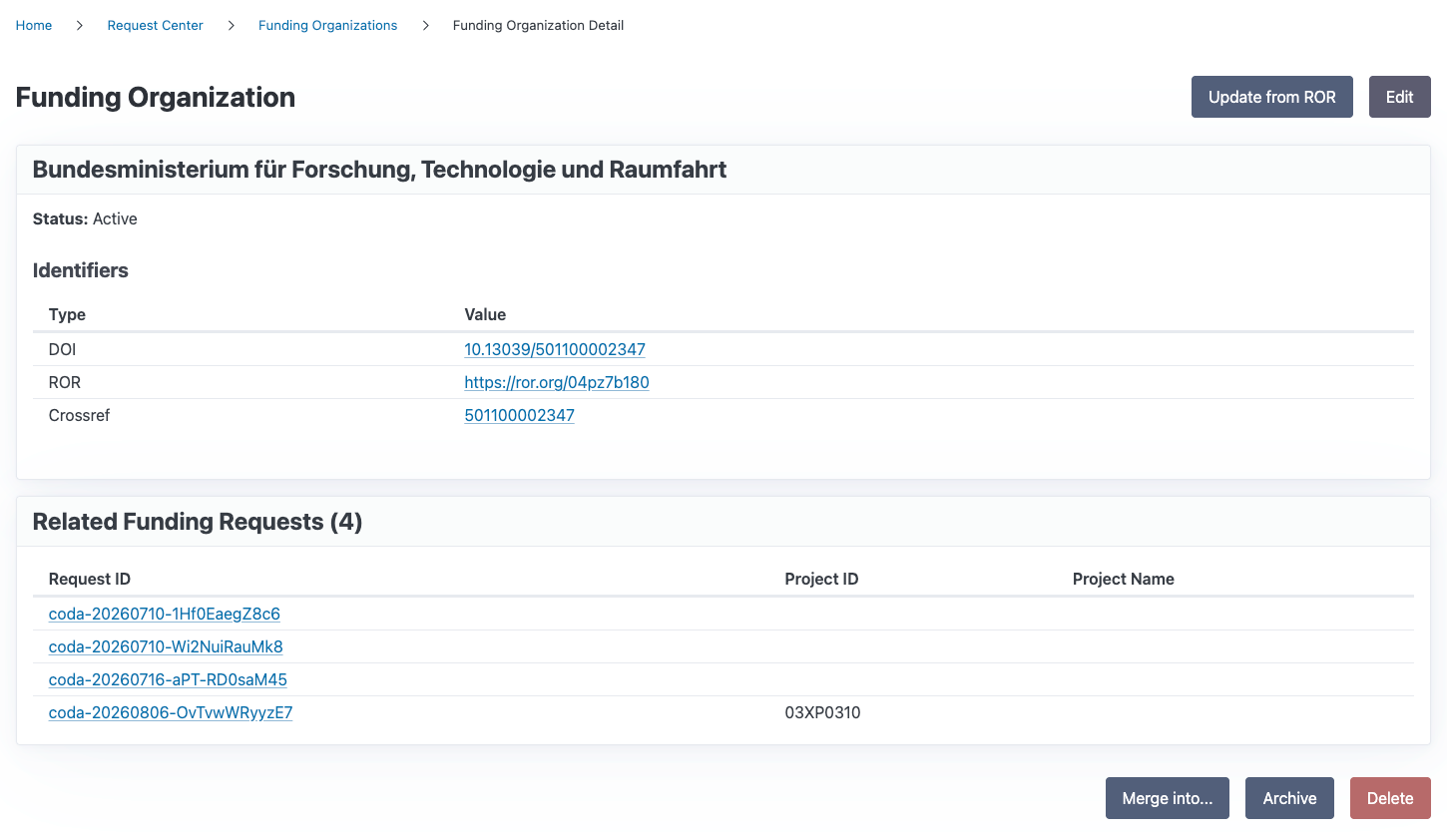
Clicking a funder’s name in the list opens its detail page. Here you can view:
The funder’s name and status (Active or Archived)
Any identifiers associated with the funder (e.g., ROR, CrossRef, DOI)
A list of all funding requests related to this funder
The detail page provides access to editing, archiving, restoring, and deleting the funder, just like the list view.
Updating from ROR#
The detail page includes an Update from ROR button. Clicking this fetches the latest data from the Research Organization Registry (ROR) for any identifiers associated with this funder (ROR ID, Crossref ID, DOI). CODA updates the funder’s name and identifiers if the ROR data contains more current information.
After updating, CODA automatically checks for overlapping organizations with matching identifiers and offers to merge them if found.
Editing a Funding Organization#
Navigate to the funder’s detail page or use the button in the funder’s list view entry
Click the Edit button
Update the Name and any Identifiers
Click Save
All existing funding requests that reference this organization will automatically show the updated name.
Merging Funding Organizations#
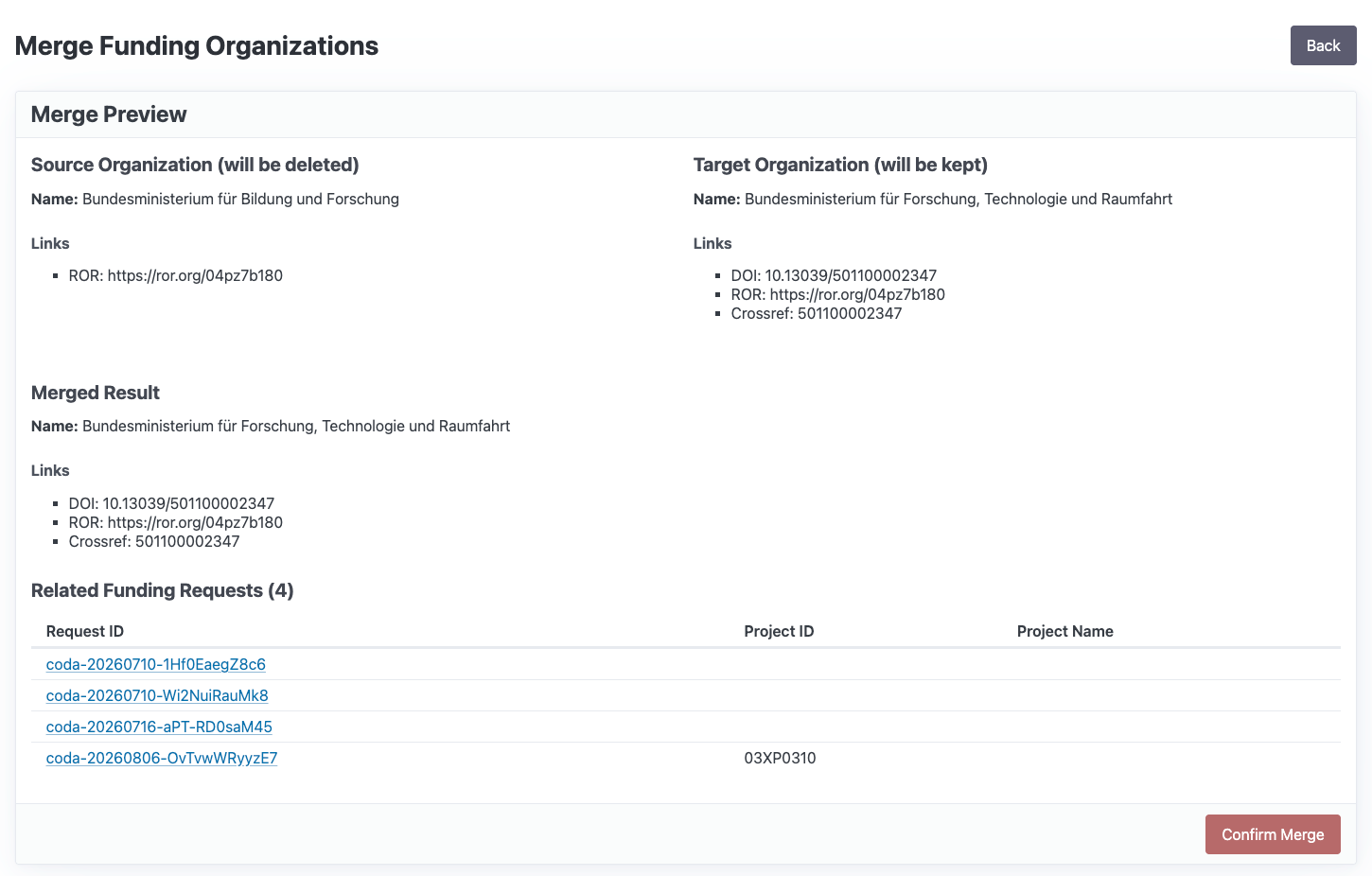
If two funders represent the same organization, you can merge them into one. Merging moves all related funding requests from the source funder to the target funder, combines their identifiers, and deletes the source funder.
Finding Candidates for Merge#
You can trigger a merge from a funder’s detail page, or from the duplicate detection dialog that appears after creating or updating a funder.
Merging Two Funders#
Navigate to the source funder’s detail page
Click the Merge into… button
Search for the target funder by name or identifier
Select the target funder
Review the merge preview showing:
The combined identifiers from both funders
A list of all funding requests that will be moved
Click Execute Merge to complete
Requirements#
The source funder must be active (not archived)
The target funder must be active
You cannot merge a funder into itself
Archiving and Restoring a Funding Organization#
Instead of deleting a funder, you can archive it. Archiving removes the funder from the default list view and hides it from the dropdown when creating new funding requests. However, funding requests that already reference the archived funder will continue to work and show it correctly.
To archive a funder:
Navigate to the funder’s detail page or use the button in the funder’s list view entry
Click the Archive button
Confirm the archiving in the dialog
To restore an archived funder:
Navigate to the Funders page and enable the Include archived filter
Click the archived funder’s name to open its detail page or use the restore button from the list view
Click the Restore button
Confirm the restoration in the dialog
Archived funders are excluded from the funder dropdown when creating new funding requests. When editing an existing funding request, the dropdown still includes that request’s currently selected archived funder.
Deleting a Funding Organization#
A funder can only be deleted if it is not associated with any funding requests.
To delete a funder:
Navigate to the funder’s detail page or use the button in the funder’s list view entry
Click the Delete button
If the funder has no related funding requests, confirm the deletion in the dialog
If the funder has related funding requests, the dialog explains why it cannot be deleted
Using Funders in Funding Requests#
When creating or editing a funding request, you can specify external research funding. See the funding request documentation to learn how to do that.