Journals#
The Journals feature provides a directory of academic journals where your institution’s researchers publish. CODA helps you manage journal information including titles, ISSNs, publishers, and integration with external databases like DOAJ (Directory of Open Access Journals).
Overview#
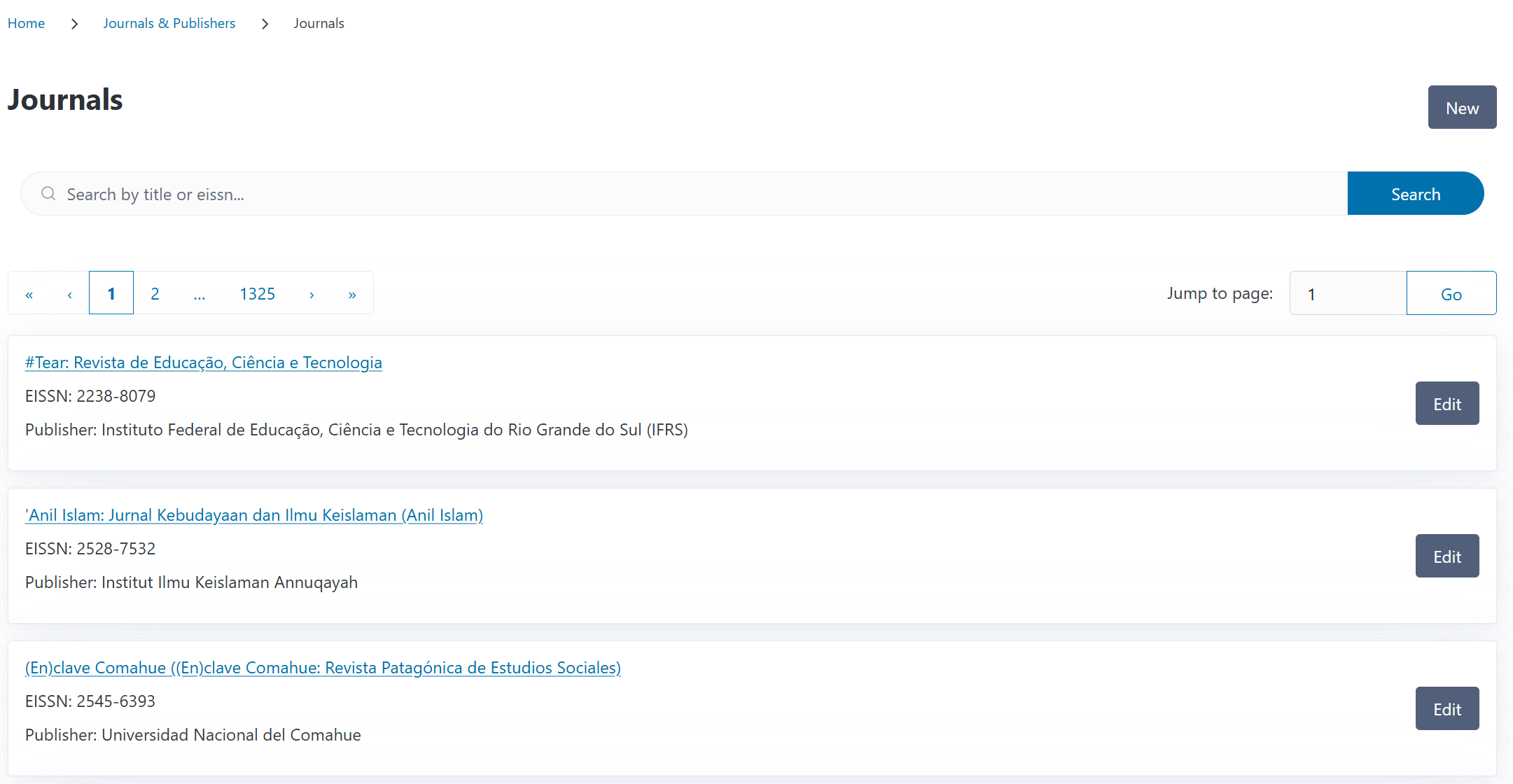
You can access the Journals page from the Journals & Publishers section in the navigation menu. The overview displays all journals in your system with their titles, E-ISSNs, and publishers.
You can search for journals by title or E-ISSN using the search box at the top of the page.
Understanding Journals in CODA#
Journals are a core entity in CODA, connecting publications to publishers and contracts. Each journal entry contains:
Title: The journal’s full name
E-ISSN: Electronic International Standard Serial Number (unique identifier)
Publisher: The publishing organization
Contracts: Linked transformative agreements or publishing deals
CODA comes pre-configured with a database of journals that can be extended as your institution’s publishing activities grow.
ISSN Format
E-ISSNs must follow the standard format: 8 digits with a hyphen (e.g., “2434-561X”). CODA validates ISSN format and checksum to ensure data integrity.
Creating a Journal#
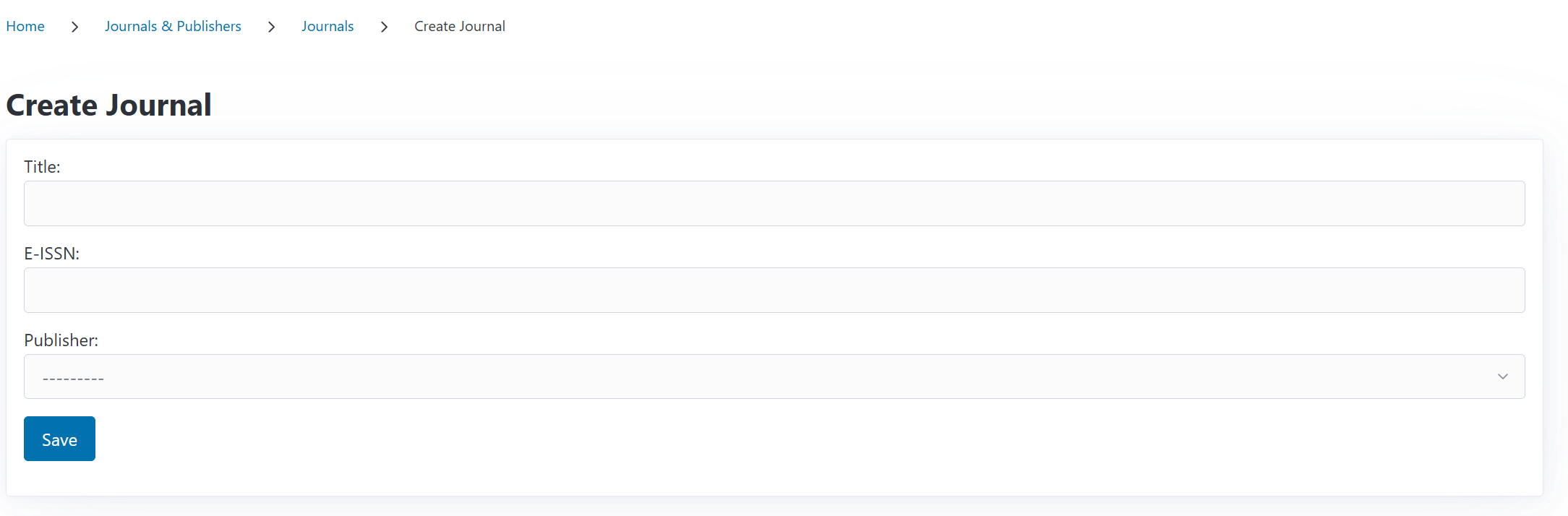
To add a new journal to the database:
Navigate to the Journals page
Click the New button
Enter the Journal Title
Enter the E-ISSN in the format XXXX-XXXX
Select the Publisher from the dropdown
Click Save
The journal is immediately available for linking to publications, contracts, and funding requests.
Publisher Requirement
You must have the publisher already created in CODA before adding a journal. If the publisher doesn’t exist, navigate to Publishers first to create it, then return to create the journal.
Editing a Journal#
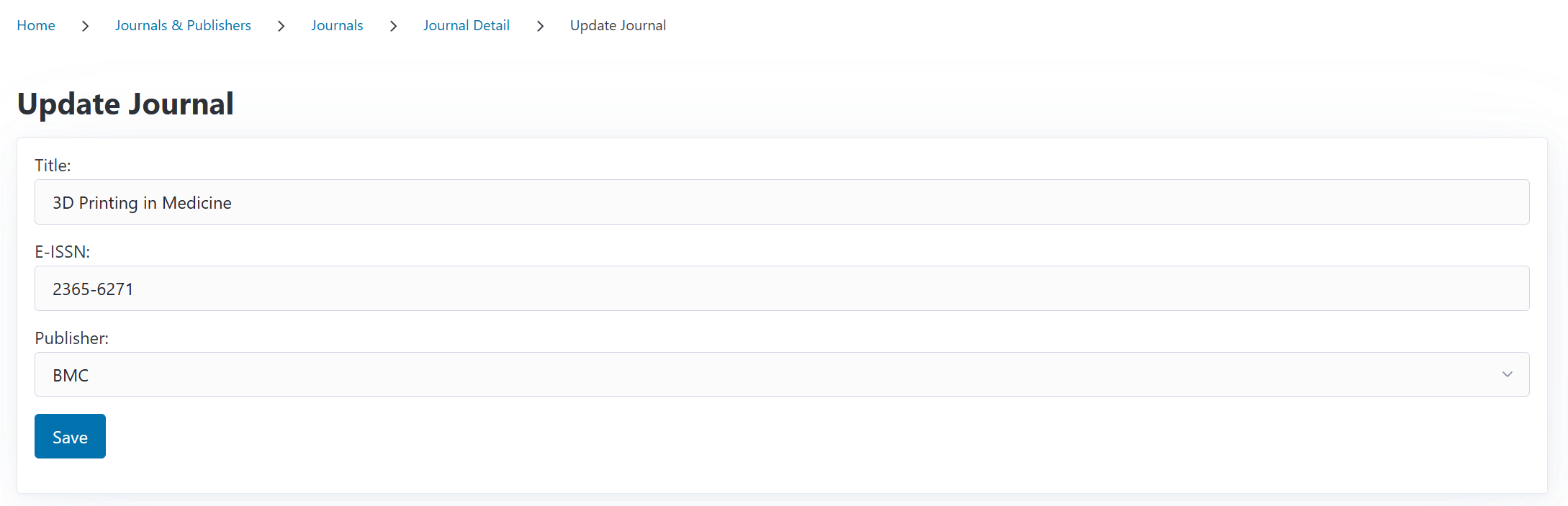
To update journal information:
Navigate to the Journals page
Find the journal you want to edit
Click Edit
Update the title, E-ISSN, or publisher
Click Save
All publications and contracts linked to this journal automatically reflect the updated information.
E-ISSN Uniqueness
Each E-ISSN must be unique in the system. If you try to create or update a journal with an E-ISSN that already exists, CODA will prevent the duplicate and show an error.
Viewing Journal Details#
Click on any journal from the list to see its detail page, which shows:
Journal title and E-ISSN
Publisher name with link to publisher details
Block status: Whether the journal is on your institution’s blocklist
Quick access to edit the journal
The detail page provides a focused view of essential journal information.

Journal Blocklist#
CODA includes a blocklist feature to flag journals/publishers your institution wants to avoid. See the blocklist documentation for further information.
Blocking a Journal#
From the journal detail page:
Click the Block button
Enter a reason for blocking from the select box (Mirror or Predatory)
Confirm the block
Blocked journals are marked throughout CODA, helping your team make informed decisions when reviewing funding requests.
Unblocking a Journal#
If a journal should no longer be blocked:
Open the journal detail page
Click Unblock
The journal is immediately removed from the blocklist
For more information about managing blocked journals and publishers, see the Blocklist documentation.
Using Journals in CODA#
Journals are referenced throughout CODA in several ways:
In funding requests to link an article to a journal; An automatic DOAJ will be perfomred in the funding request associated with the journal
In contracts: Journals are added to contract journal lists