Blocklist#
The Blocklist feature helps you manage journals and publishers your institution wants to avoid or flag for review. By maintaining a blocklist, your team can make informed decisions during funding request reviews and prevent publications in problematic venues.
Overview#
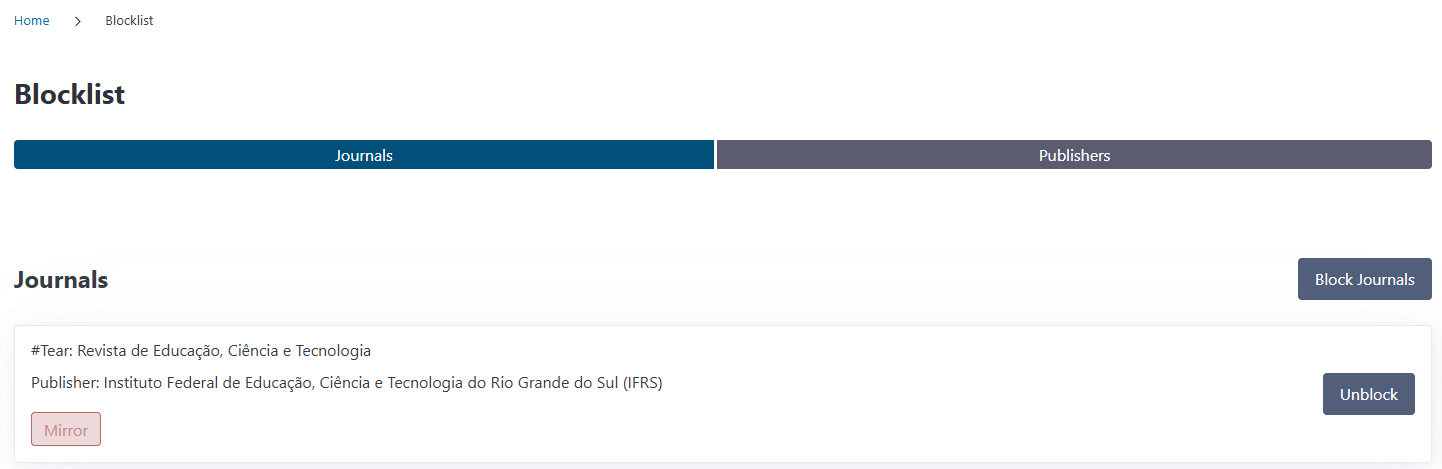
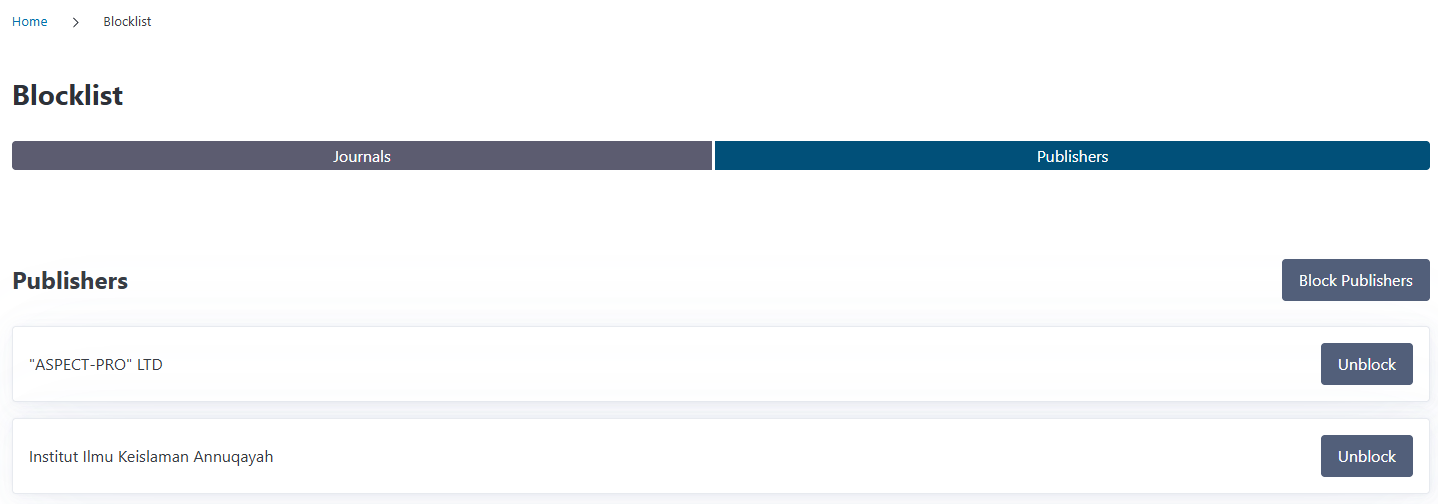
You can access the Blocklist from the Journals & Publishers section in the navigation menu. The blocklist page displays two tabs:
Journals: Blocked journals with their reasons and review status
Publishers: Blocked publishers
Each blocked entry shows the blocked journal/publisher and provides quick access to unblock if needed.
Understanding the Blocklist#
The blocklist is a centralized institutional policy tool that helps you:
Flag predatory journals: Identify journals with questionable publishing practices
Mark mirror journals: Identify open access mirror versions of existing subscription journals that may require special handling under institutional policies
Block entire publishers: Prevent all journals from specific publishers
Enforce institutional policies: Ensure compliance with your open access guidelines
Trigger warnings: Alert reviewers during funding request evaluation
Singleton Design
CODA maintains a single blocklist for your institution. All blocked journals and publishers are managed centrally, ensuring consistency across all funding request reviews and publication workflows.
Blocking Journals#
Journals can be blocked with specific reasons that help categorize the concerns:
From the Journal Detail Page#
Navigate to a journal’s detail page
Click the Block button
Select a reason from the dropdown:
Predatory: Journals with predatory publishing practices
Mirror: Open access mirror versions of existing subscription journals with the same scope and editorial structure
Click Block to confirm
The journal is immediately added to your blocklist and flagged throughout CODA.
Blocking Publishers#
Publisher blocks are broader than journal blocks—they affect all journals from that publisher. If a journal from a blocked publisher is selected in a funding request, the funding request will display a bocklist note in the review section.
From the Publishers List#
Navigate to the Publishers page
Find the publisher you want to block
Click the Block button on the publisher’s row
Confirm the block in the dialog
All journals published by this publisher are now flagged, even if they’re not individually blocked.
Journal vs. Publisher Blocks
Journal block: Flags a specific journal (e.g., “Journal X” is problematic)
Publisher block: Flags all journals from a publisher (e.g., “Publisher Y” has questionable practices)
Use publisher blocks for broad policy enforcement and journal blocks for targeted concerns.
Viewing the Blocklist#
The blocklist page provides a comprehensive view of all blocked entities:
Journals Tab#
Displays all blocked journals showing:
Journal title and publisher name
Block reason: Predatory or Mirror
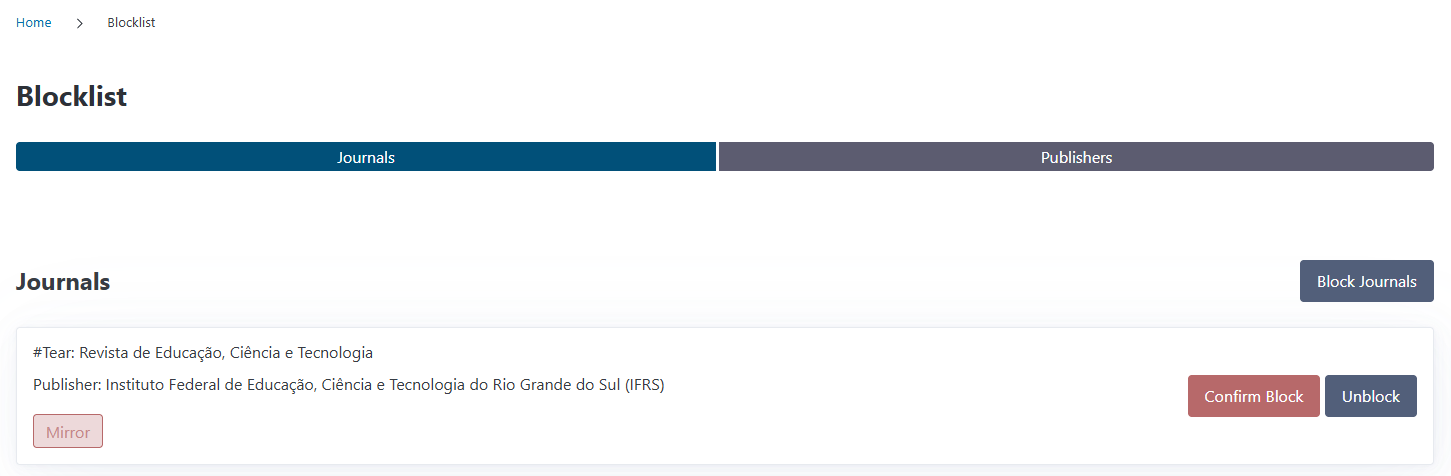
Review status: After 6 months the UI will show a reminder to review the block status of the journal.
Quick actions: Confirm Block or Unblock
Publishers Tab#
Displays all blocked publishers showing:
Publisher name
Quick action: Unblock
Review System#
CODA includes an automatic review reminder system for blocked journals:
How It Works#
When a journal is blocked, a timestamp is recorded
After 6 months, the journal appears as “Needs Review”
The warning label prompts you to reassess whether the block is still appropriate
You can confirm the block to reset the review timer
Confirming a Block#
When a journal shows “Needs Review”:
Navigate to the Blocklist page
Find the journal with the warning label
Click Confirm Block
The review timer resets for another 6 months
This ensures your blocklist stays current and reflects your institution’s evolving policies.
Unblocking Journals and Publishers#
Unblocking a Journal#
From the blocklist page:
Find the journal you want to unblock
Click Unblock
The journal is immediately removed from the blocklist
Alternatively, unblock from the journal detail page using the Unblock button.
Unblocking a Publisher#
From the blocklist page or publishers list:
Find the blocked publisher
Click Unblock
The publisher is immediately removed from the blocklist
All journals from this publisher are no longer flagged (unless individually blocked).
Integration with Funding Requests#
The blocklist automatically integrates with funding request reviews:
Automatic Checks#
When reviewing a funding request, CODA runs a Block Check:
For article publications:
Checks if the journal is blocked
If blocked and needs review, shows a warning
If blocked and recently confirmed, shows an error
Checks if the publisher is blocked (even if journal isn’t)
For monograph publications:
Checks if the publisher is blocked
Check Results#
Success (green): “Journal and publisher are not on the blocklist”
Warning (yellow): “Journal [name] is on the blocklist, but needs a review”
Failed (red): “Journal [name] is on the blocklist” or “Publisher [name] is on the blocklist”
These checks help reviewers make informed approval decisions.
Block Reasons#
Understanding the available block reasons helps with consistent categorization:
Predatory#
Use for journals exhibiting predatory publishing practices:
Lack of peer review or questionable review processes
Misleading claims about impact factors or indexing
Excessive or hidden fees
Spam solicitation of submissions
Listed on predatory journal databases (e.g., Beall’s List)
Mirror#
According to the definition used by the Directory of Open Access Journals (DOAJ), a mirror journal is a fully open access version of an existing subscription journal that:
Has the same aims and scope as the original journal
Uses the same peer review processes and editorial policies
Shares at least 50% of the editorial board members with the subscription journal
Has a similar title but a different ISSN
Mirror journals are typically created by publishers as part of a hybrid or transitional open access strategy. They are not inherently predatory or fraudulent.
In this system, the Mirror block reason is used to flag journals that duplicate the content and scope of an existing title in a parallel open-access version, which may require special handling depending on institutional policies.
These categories help your team understand why a journal is blocked, informing decisions about exceptions or policy changes.