Creditors#
The Creditors feature allows you to manage the entities that send invoices to your institution - typically publishers, service providers, or other organizations you pay for publication-related costs. Creditors are essential for organizing invoices and tracking financial relationships.
Overview#
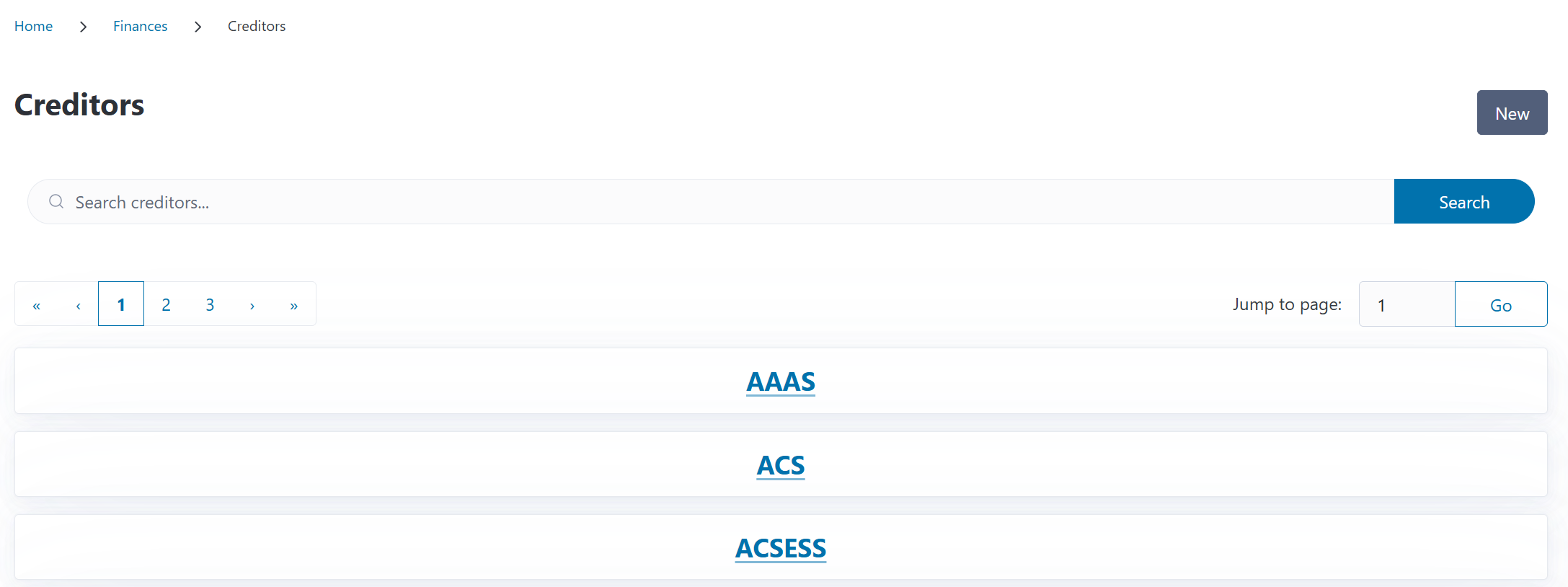
You can access the Creditors page from the Finances section in the navigation menu. The overview displays all creditors in your system, showing their names with links to the creditor’s detail page. The detail page shows related invoices.
You can search for creditors by name using the search box at the top of the page. By default, archived creditors are hidden from the list. To include them, toggle the Include archived switch above the search results.
Understanding Creditors in CODA#
A creditor is any organization or entity that sends invoices to your institution for publication costs or related services. Common examples include:
Publishers: Sending Article Processing Charge (APC) invoices
Publishing platforms: For hosting or publication services
Aggregators: Organizations managing payments on behalf of multiple publishers
Service providers: For editing, proofreading, or other publication-related services
Creditors help you:
Organize invoices: Group invoices by who sent them
Track relationships: See all financial activity with each creditor
Standardize naming: Ensure consistency when creating invoices
Analyze spending: Understand which organizations you pay most frequently
Creditors vs. Publishers
While publishers and creditors often overlap, they serve different purposes in CODA:
Publishers are used for journal and publication metadata
Creditors are used specifically for invoice management
The same organization (e.g., “Springer Nature”) might exist as both a publisher and a creditor
Creating a New Creditor#
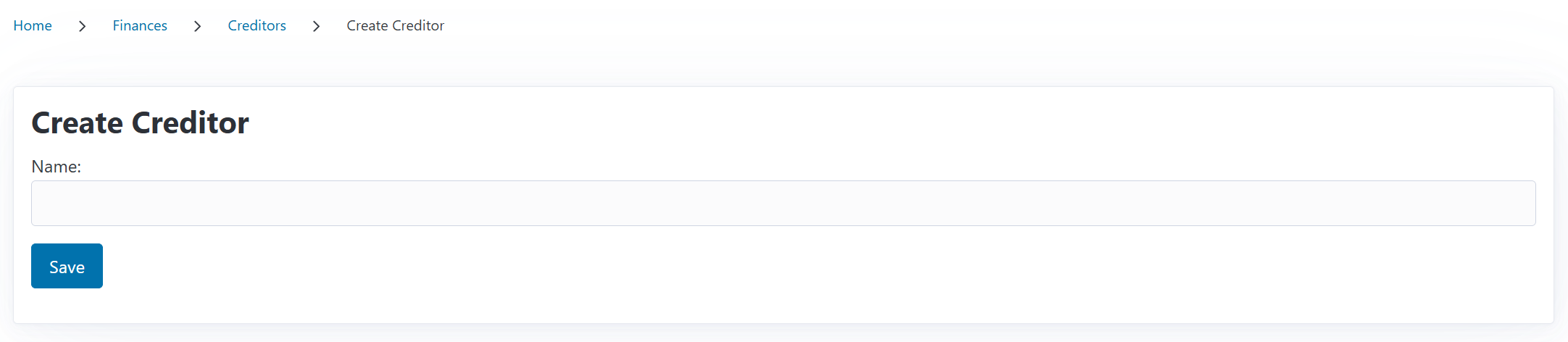
To add a new creditor:
Navigate to the Creditors page from the Finances section
Click the New button
Enter the Creditor Name (e.g., “Elsevier B.V.”, “Taylor & Francis Group”)
Click Save
That’s it! Creditors in CODA are intentionally simple - just a name to identify who is billing you.
Viewing Creditor Details#
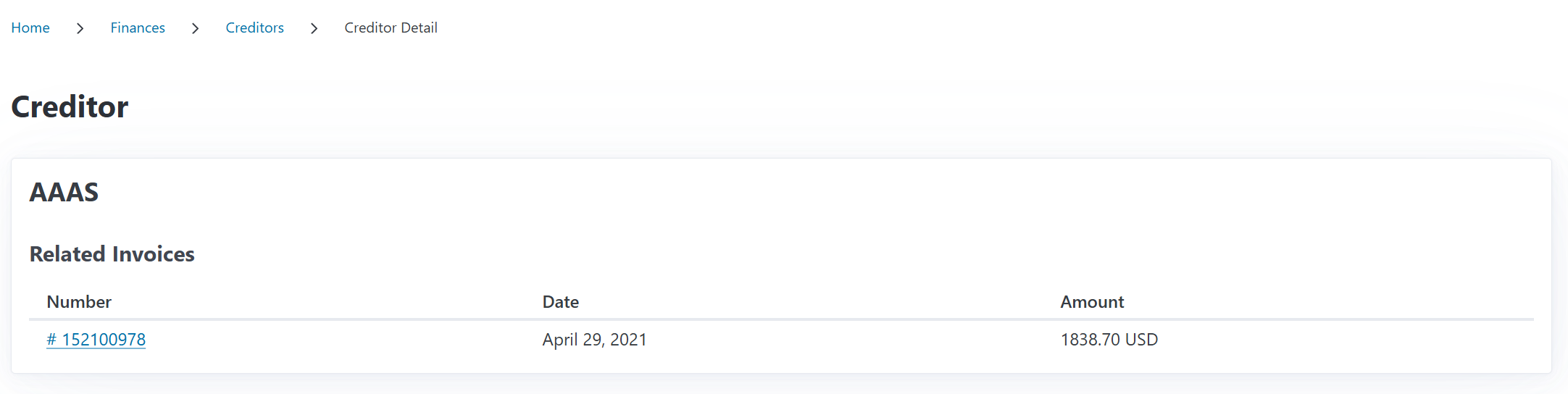
Click on any creditor from the list to see its detail page, which shows:
Creditor Name: The official name as stored in CODA
Related Invoices: A complete list of all invoices from this creditor
Related Invoices Table#
The invoices table displays:
Invoice Number: Click to view the full invoice detail
Invoice Date: When the invoice was issued
Amount: Total invoice amount in the original currency
This view provides a quick overview of your financial relationship with each creditor, making it easy to:
Track total spending with a specific organization
Find specific invoices by creditor
Identify payment patterns or recurring charges
Editing a Creditor#
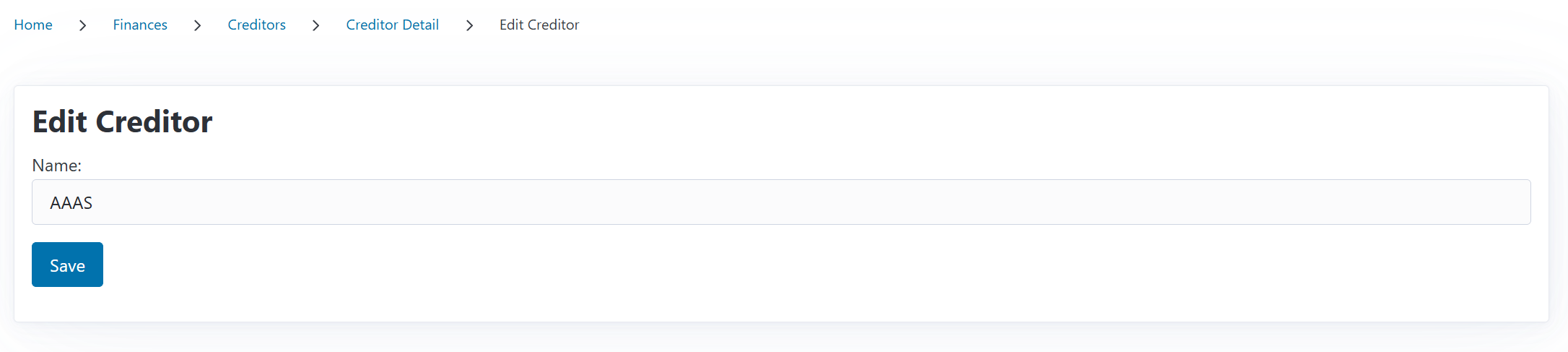
To update a creditor’s information:
Navigate to the creditor’s detail page
Click the Edit button (if available in your CODA version)
Update the creditor name
Click Save
Note
Editing a creditor name updates it for display purposes, but existing invoices retain the association. All invoices linked to this creditor will show the updated name.
Archiving a Creditor#
If a creditor changes its name, is merged with another organization, or is no longer actively used, you can archive it rather than deleting it. Archiving preserves all historical invoice data while hiding the creditor from most selection lists.
To archive a creditor:
Navigate to the creditor’s detail page (or use the Archive button on the list view)
Click the Archive button
Confirm in the dialog that appears
What Happens When You Archive#
The creditor is marked as Archived with a timestamp (visible on the detail page)
The creditor is hidden from the dropdown when creating new invoices
The creditor remains visible when editing existing invoices that reference it
All existing invoices and financial records are preserved
Finding Archived Creditors#
By default, archived creditors are hidden from the list view. To find them:
Go to the Creditors page
Toggle the Include archived switch above the search bar
Archived creditors appear with a red Archived badge
Restoring a Creditor#
If you need to bring an archived creditor back into active use:
Find the archived creditor using the Include archived toggle
Navigate to its detail page (or click Restore from the list view)
Click the Restore button
Confirm in the dialog
The creditor will immediately reappear in all selection lists as if it was never archived.
Deleting a Creditor#
Deleting a creditor permanently removes it from the system. This should only be done when you’re certain the creditor is no longer needed.
Warning
Deleting a creditor is permanent and cannot be undone. Consider archiving instead if you might need the creditor again.
Requirements for Deletion#
A creditor can only be deleted if no invoices reference it. If any invoices are linked to the creditor, deletion is blocked and you’ll see a message listing the blocking reason.
To delete a creditor:
Navigate to the creditor’s detail page (or click Delete from the list view)
Click the Delete button
Review the deletion warning
If deletion is allowed, click Delete in the confirmation dialog
If deletion is blocked, the dialog shows the reason (e.g., “2 invoice(s) reference this creditor”)
Handling Blocked Deletion#
If deletion is blocked, you have two options:
Reassign invoices: Edit each invoice to change the creditor to another one, then try deleting again
Archive instead: Archiving preserves records without requiring invoice reassignment
Using Creditors in CODA#
Once you’ve created creditors, they integrate with the invoice management workflow:
In Invoice Creation#
When creating a new invoice:
One of the required fields is Creditor
Select from the dropdown of active (non-archived) creditors
If the creditor doesn’t exist yet, you’ll need to create it first by using the New button
The selected creditor appears on the invoice detail view
Archived Creditors in Invoice Editing
When editing an existing invoice that references an archived creditor, the archived creditor remains visible and selectable in the dropdown. This ensures you can save changes without losing the association. Other archived creditors that are not linked to the invoice are hidden to avoid clutter.
This ensures every invoice is properly attributed to the organization that sent it. You can use the search field in the invoices section to filter by creditor.
Relationship with Publishers#
Many creditors will also exist as publishers in CODA’s publisher database. Here’s how they differ:
When to Use Each#
Use Publishers when:
Creating journals
Recording publication metadata
Managing contracts
Linking journals to publishing agreements
Use Creditors when:
Creating invoices
Recording who sent a bill
Tracking payment recipients
Managing financial relationships